

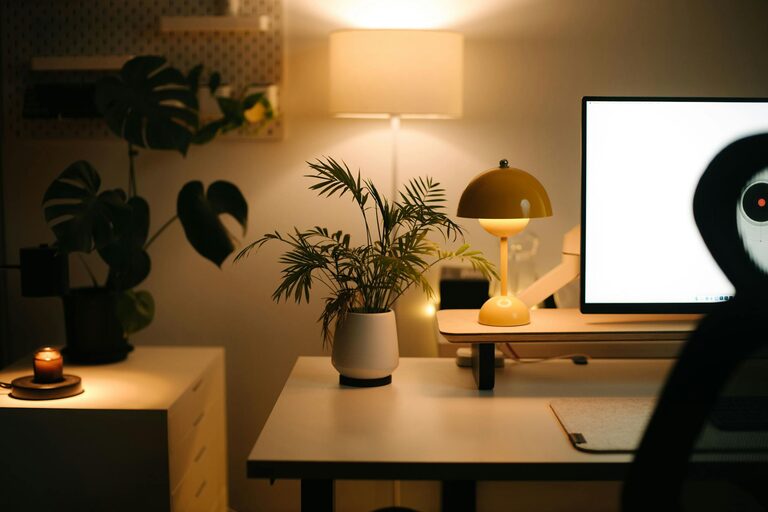
Creating a comfortable and efficient home office is essential for anyone working remotely or managing tasks from home. A well-designed workspace can enhance your focus, reduce stress, and make your workday more enjoyable. Here are practical tips to help you design a cozy and productive home office environment.
Choose the Right Location
Find a Quiet Spot
Pick a place in your home that is quiet and away from distractions. This could be a spare room, a corner in the living room, or even a section of your bedroom. The key is to have a space where you can concentrate without frequent interruptions.
Consider Natural Light
Position your desk near a window if possible. Natural light helps improve mood and reduce eye strain. However, be mindful of glare on your computer screen and use curtains or blinds to adjust the light level.
Invest in Comfortable Furniture
Ergonomic Chair
A comfortable, ergonomic chair is one of the best investments for your home office. It supports your posture and reduces the risk of back pain from sitting long hours.
Functional Desk
Choose a desk that fits your space and work needs. Make sure it offers enough surface area for your computer, documents, and other tools, but also doesn’t crowd the room.
Personalize Your Workspace
Use Soothing Colors
Pick calming colors for your office walls or decorations, such as soft blues, greens, or neutral tones. These colors can create a peaceful atmosphere that encourages focus.
Add Personal Touches
Include items that make you feel happy and motivated—a plant, a photo frame, or artwork. These personal touches help make the space inviting and comfortable.
Optimize Lighting
Layer Your Lighting
Combine natural light with good quality task lighting and soft ambient light. Use a desk lamp for focused tasks and an overhead light or floor lamp to brighten the room evenly.
Avoid Harsh or Flickering Lights
Harsh lighting or flickering bulbs can cause headaches and reduce productivity. Choose LED bulbs with adjustable brightness and a warm light tone for the best results.
Keep Your Office Organized
Declutter Regularly
A clutter-free desk helps reduce stress and distractions. Keep only essentials on your workspace and store the rest in organizers or drawers.
Use Storage Solutions
Use shelves, file organizers, and containers to neatly store papers, office supplies, and equipment. Clear labels can help you find things quickly.
Incorporate Plants
Benefits of Greenery
Plants improve air quality, reduce stress, and add a touch of nature. Choose low-maintenance indoor plants like snake plants, pothos, or succulents for your office.
Placement Tips
Place plants near your desk or on shelves where they get enough light. Having greenery in your workspace can create a relaxing environment.
Control Noise and Distractions
Use Noise-Canceling Headphones
If you cannot avoid background noise, noise-canceling headphones are helpful for maintaining concentration.
Set Boundaries
Communicate your working hours and space boundaries with family or housemates to minimize interruptions during your work time.
Manage Technology Wisely
Reliable Internet
A strong and stable internet connection is crucial. Check your signal strength and consider upgrading your router or switching to a wired connection if necessary.
Organize Cables
Use cable organizers to avoid tangled wires. Keeping cords neatly managed prevents frustration and keeps your desk tidy.
Take Breaks and Move
Set a Timer
Use a timer or app to remind yourself to take short breaks every hour. Standing up, stretching, or walking around helps maintain energy and focus.
Comfort Accessories
Consider a standing desk converter or a footrest to improve comfort while working.
—
By combining these tips, you can create a home office that feels welcoming and supports your productivity. Remember that small changes can make a big difference in your daily work experience. Happy working!