

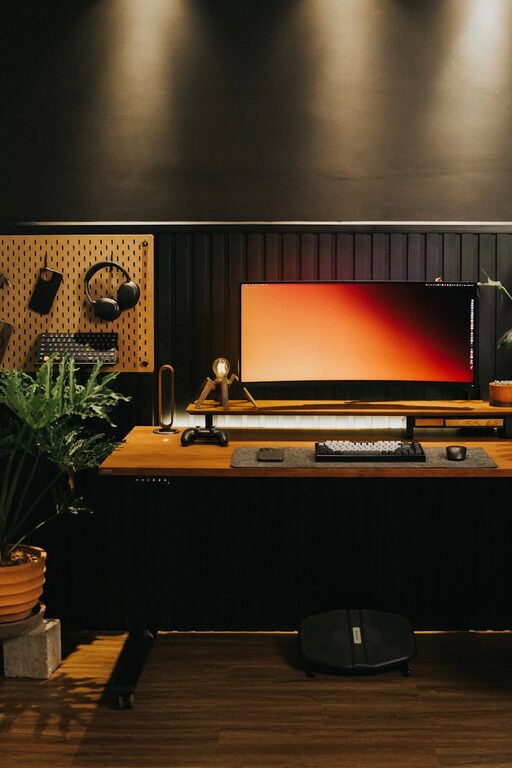
Creating a home office that feels cozy yet functional can greatly enhance your work experience. Whether you work from home full-time or need a dedicated spot for occasional tasks, designing the right space is key to staying productive and comfortable. In this guide, we’ll explore practical tips to help you bring together style, comfort, and efficiency in your home office.
Why a Cozy and Functional Home Office Matters
Working from home offers flexibility, but it also presents challenges like distractions and discomfort. A well-planned office space encourages focus and reduces stress, making work more enjoyable. A cozy environment can boost your mood, while functionality ensures everything you need is at your fingertips.
Choosing the Ideal Location
Consider Natural Light
Select a spot with plenty of natural light if possible. Sunlight helps regulate your body clock and improves energy levels. Position your desk near a window, but avoid glare on your computer screen by adjusting blinds or curtains.
Minimise Distractions
Choose a quiet corner away from household traffic or noisy areas. If space is limited, consider room dividers or noise-cancelling headphones to create a focused zone.
Selecting the Right Furniture
Ergonomic Desk and Chair
Invest in a desk and chair that support good posture. Look for adjustable chairs with lumbar support and desks at a comfortable height. Proper ergonomics prevent fatigue and discomfort during long work hours.
Storage Solutions
Keep your workspace clutter-free with shelves, drawers, or filing cabinets. Storage helps you organise documents, office supplies, and personal items neatly.
Personalising Your Space
Warm Colours and Textures
Choose warm tones like soft neutrals, pastels, or muted shades that create a calming atmosphere. Add textured elements such as cushions, rugs, or curtains for extra coziness.
Inspirational Decor
Include items that motivate you—photos, artwork, plants, or quotes. These personal touches make your office feel inviting and uniquely yours.
Lighting Tips for Productivity
Layered Lighting
Combine natural light with task and ambient lighting. Use a desk lamp with adjustable brightness for focused work and softer lights to reduce eye strain.
Avoid Harsh Overhead Lighting
Bright, cold lighting can cause headaches and fatigue. Opt for warm LEDs or adjustable bulbs to create a comfortable ambiance.
Organising Your Workspace
Cable Management
Tidy up cables using clips, sleeves, or under-desk trays. A clean desk surface minimizes distractions and improves safety.
Daily Decluttering
Develop a habit of tidying your desk at the end of each day. Clear surfaces help you start fresh the next morning.
Adding Comfort and Practicality
Temperature Control
Ensure your workspace is neither too hot nor too cold. Use fans, heaters, or adjustable windows to maintain a comfortable temperature.
Keep Essentials Within Reach
Place frequently used items like pens, notebooks, and chargers nearby to avoid interrupting your workflow.
Incorporating Technology Wisely
Reliable Equipment
Choose quality devices like monitors, keyboards, and headphones that support your work needs. Reliable technology reduces frustration and downtime.
Cable-Free Options
Wireless devices can reduce clutter and increase mobility around your desk.
Encouraging Movement and Breaks
Stretching Area
If space allows, include a corner for stretching or quick exercises. Moving regularly helps maintain energy and focus.
Comfortable Seating for Breaks
A small armchair or pouf can offer a change of posture during breaks, promoting relaxation.
Final Thoughts
Creating a home office that blends comfort with functionality is about understanding your personal work habits and preferences. With thoughtful furniture choices, smart organisation, and a welcoming atmosphere, you can build a space that keeps you productive and at ease.
Remember, your home office should work for you—feel free to experiment and adjust until it feels just right. With these tips, you’re well on your way to enjoying a cozy and effective workspace every day.